The Restaurant Owner's Guide to Going Digital in Zimbabwe
Your menu is your most important sales tool. If it's still printed on paper, you're leaving money on the table — literally.
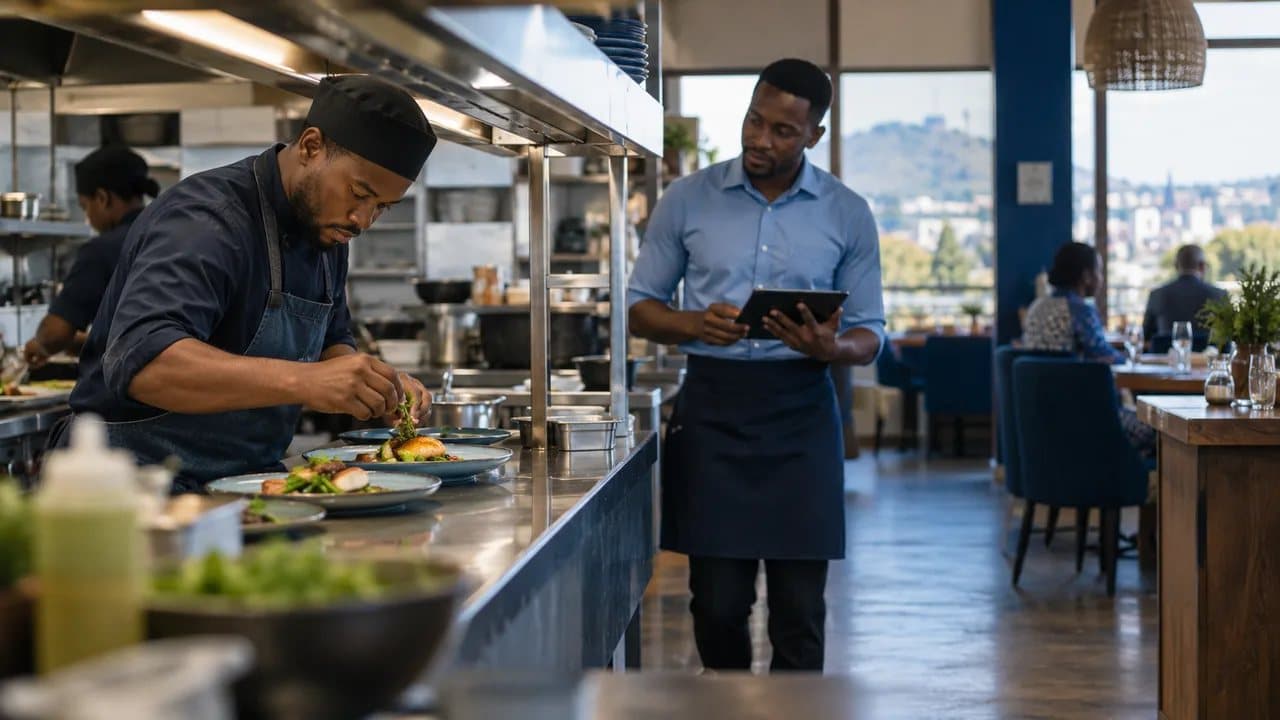
Your menu is your most important sales tool. If it's still printed on paper, you're leaving money on the table — literally.
The Paper Menu Problem Nobody Talks About
Walk into most restaurants in Harare or Bulawayo and you'll find the same thing: laminated menus with faded photos, crossed-out prices, and a handwritten insert that says "new ZiG prices — ask your waiter."
It's understandable. Zimbabwe's dual-currency environment makes printed menus a nightmare. Every time the USD/ZiG exchange rate shifts — which happens constantly — you're either reprinting menus, scribbling corrections, or watching your waitstaff field endless pricing questions from confused customers.
Here's what that actually costs a typical sit-down restaurant:
- Printing: A 50-menu reprint runs US$150–300 every time prices change. With ZiG fluctuations, that could be monthly.
- Lost sales: Outdated menus without photos or descriptions undersell your kitchen. Restaurants with visual menus see up to 20% higher average order values.
- Wasted time: Waitstaff spending 5 extra minutes per table explaining prices, out-of-stock items, or specials that aren't on the menu. Multiply that across a busy Friday night.
- Bad first impressions: A tatty, outdated menu signals a restaurant that doesn't care about the details. Your food might be excellent, but the menu speaks first.
The fix isn't complicated. It's a digital menu — and in 2026, it's more accessible and affordable than most Zimbabwean restaurant owners realise.
What Is a Digital Menu (And What It Isn't)
A digital menu is simply your menu displayed on a customer's phone instead of on paper. The most common version works through a QR code: a small printed code sits on each table, the customer scans it with their phone camera, and your full menu appears in their browser. No app download required.
This is not the same as:
- A Facebook page where you post your menu as a photo (hard to update, hard to read on mobile)
- A PDF menu on your website (doesn't work well on small screens, can't update prices instantly)
- An expensive tablet system that requires hardware on every table
A proper digital QR menu is:
- Hosted online — you update it from your phone or computer and every customer sees the change immediately
- Mobile-first — designed to look good on any smartphone, even on slower networks
- Always current — change a price, add a special, remove a sold-out dish, and it's live in seconds
For Zimbabwean restaurants specifically, the ability to show prices in both USD and ZiG — and update them when the rate moves — is the single biggest practical advantage.
Why 2026 Is the Tipping Point for Zimbabwe
Several things have come together that make this the year to switch:
Smartphone Penetration Is at an All-Time High
Zimbabwe's smartphone adoption has grown rapidly, driven by affordable Android devices and expanding mobile data coverage. Your customers already have the scanner in their pocket. There's no adoption barrier on the customer side — they scan QR codes for EcoCash payments every day.
The ZiG Keeps Restaurant Owners Guessing
Since its introduction, the ZiG has brought stability compared to previous local currencies, but exchange rate adjustments still happen. Every adjustment means your paper menu is wrong. A digital menu lets you update all your prices in minutes, not days. You can even display both USD and ZiG prices side by side, so customers always know exactly what they're paying — and in which currency.
Platforms like ZimRate track live USD/ZiG exchange rates, giving you a reference point every time you need to adjust. Some digital menu systems can even pull rates automatically, so your ZiG prices stay accurate without manual work.
Competitors Are Starting to Move
The global QR menu market exploded during COVID and never went back. In South Africa, restaurants using QR code menus report staff efficiency gains of 30% and monthly savings equivalent to thousands of rand. Nigerian and Kenyan restaurants are adopting digital menus through platforms like Scan.ng and ZOTOPRO.
Zimbabwe is behind, which means there's an advantage for early movers. The restaurant down the road from yours is still using a photocopied menu. When you hand a customer a clean, visual, instantly updated digital menu, you stand out.
How to Go Digital: A Practical Step-by-Step
Going digital doesn't require a massive investment or technical skills. Here's how to do it in a weekend:
Step 1: Choose a Digital Menu Platform
Look for a platform that:
- Works on any smartphone browser (no app download for customers)
- Lets you update prices and items instantly
- Supports multiple currencies (critical for Zimbabwe)
- Includes food photos and descriptions
- Loads fast on mobile data, not just Wi-Fi
- Offers affordable pricing — ideally with a free tier to start
MenuWise was built specifically for this. It's a Zimbabwean-made digital menu platform designed for local restaurants, cafes, and food businesses. It handles USD and ZiG pricing natively, loads fast on Zimbabwean mobile networks, and requires zero technical knowledge to set up.
Step 2: Upload Your Menu
Take clear photos of your dishes (a smartphone camera in good lighting is enough — you don't need a professional photographer). Write short, appetising descriptions. Set your prices in USD, ZiG, or both.
Pro tip: Organise your menu the way customers think — starters, mains, sides, drinks, desserts. Not the way your kitchen thinks.
Step 3: Generate and Print Your QR Codes
Your platform will generate a unique QR code for your restaurant. Print it on table tents, table stickers, or small cards. This is your only printing cost — and it's a one-time expense, because the QR code never changes even when your menu does.
A set of 20 table QR codes costs a fraction of one full menu reprint.
Step 4: Train Your Staff (10 Minutes)
Your waitstaff need to know three things:
- How to point customers to the QR code ("Scan this for our full menu with photos and prices")
- That the menu updates automatically — they don't need to memorise price changes
- How to help older customers who might not know how to scan (open the phone camera, point at the code)
That's it. Most staff figure it out in one shift.
Step 5: Update as You Go
Add your daily specials each morning. Remove items when you run out. Adjust ZiG prices when the rate moves. Run a promotion by adding a "Special Offers" section. Your menu is now a living document, not a static printout gathering sauce stains.
Real Benefits for Zimbabwean Restaurants
Let's be specific about what changes when you go digital:
| Before (Paper) | After (Digital) |
|---|---|
| Reprint menus every 1-2 months (US$150-300 each time) | Update prices in seconds, zero reprinting cost |
| Waitstaff explain pricing and out-of-stock items | Customers see current menu, prices, and availability instantly |
| No photos on menu (too expensive to print in colour) | Every dish has a photo — proven to increase order value by 20%+ |
| Single-currency pricing or handwritten conversions | USD and ZiG displayed side by side, updated in real time |
| Specials written on a chalkboard or announced verbally | Digital specials section visible to every customer immediately |
| Menu stains, tears, and losses | Always clean, always professional |
South African restaurants implementing QR menus have documented a 22% increase in appetiser orders and 15% more customers served during peak hours — simply because the ordering process became faster and more visual.
For a mid-sized Harare restaurant doing 100 covers on a busy night, even a 10% increase in average order value adds up to thousands of dollars per month in additional revenue.
Common Concerns (And Honest Answers)
"My customers are older and won't scan QR codes." Keep a few paper menus as backup. But you'll be surprised — anyone who uses EcoCash already knows how to scan a QR code. The adoption barrier is lower than you think.
"What about load shedding? No internet means no menu." Digital menus load fast and can work on mobile data — they don't need Wi-Fi. And if you're concerned, most platforms cache the menu so it loads even on patchy connections. You can also keep a handful of printed backup menus for emergencies.
"I don't have good photos of my food." Start with what you have. A well-lit smartphone photo of your signature dishes is better than no photo at all. You can upgrade photos gradually — the menu updates instantly, so you can swap in better images any time.
"Is this just a gimmick? Will customers actually use it?" Post-COVID, QR menus are standard practice across South Africa, Kenya, and Nigeria. Customers under 40 often prefer them. This isn't early-adopter territory anymore — it's catch-up.
The Bottom Line
Zimbabwe's restaurant industry faces real challenges: currency volatility, rising costs, and intense competition — especially in Harare and Bulawayo. A digital menu doesn't solve all of those problems. But it eliminates one of the most frustrating and expensive ones: keeping your menu accurate, professional, and profitable.
The restaurants that thrive in 2026 won't necessarily be the ones with the biggest budgets. They'll be the ones that use the tools available to run smarter operations. A digital menu is one of the simplest, cheapest upgrades you can make — and the return is immediate.
Ready to try it? MenuWise by Statotech is built for Zimbabwean restaurants. Set up your digital QR menu in minutes, show prices in USD and ZiG, and stop reprinting menus every time the rate changes. Get started free at menuwise.statotec.com.
Statotech Systems builds business software for Zimbabwe. From POS systems to live exchange rates, we make tools that work for the way Zimbabwean businesses actually operate. Learn more at statotec.com.